Kostenloser Markdown-Editor & Vorschau
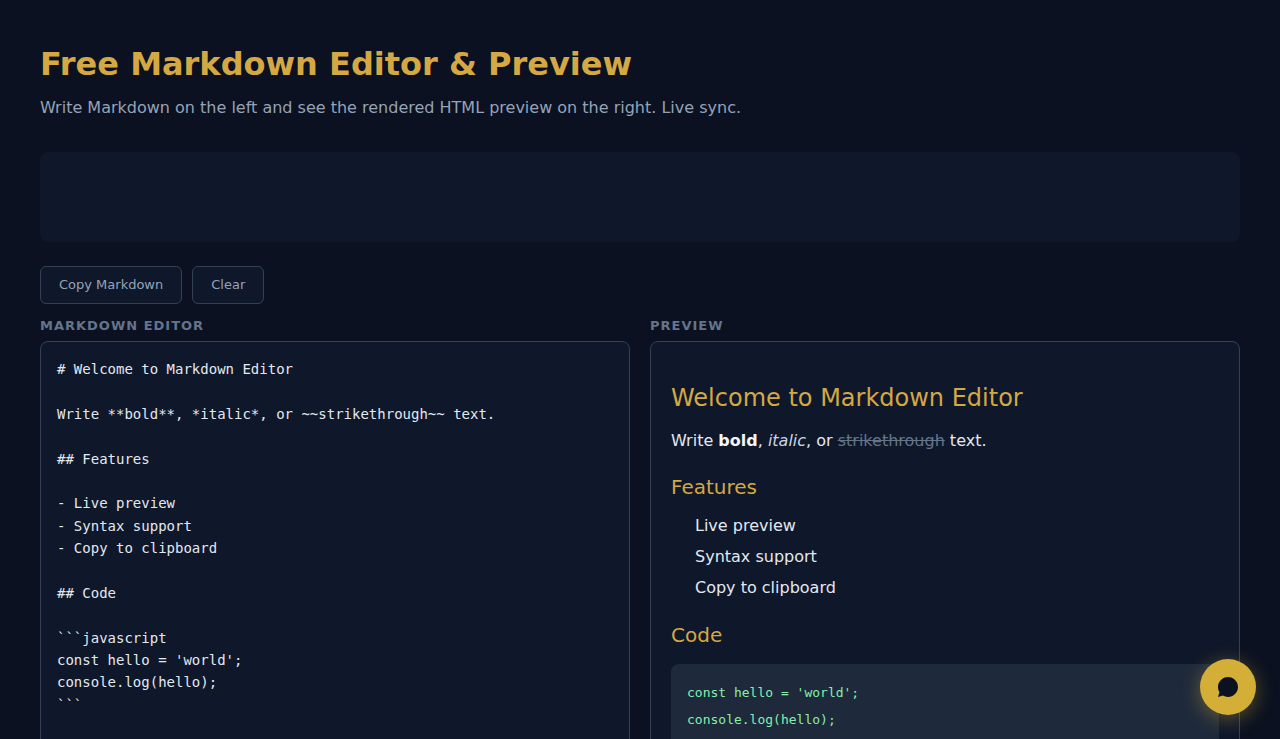
Schreiben Sie Markdown auf der linken Seite und sehen Sie sich die gerenderte HTML-Vorschau auf der rechten Seite an. Live-Synchronisation.
Markdown-Editor
Vorschau
So Funktioniert Es
Tippen oder fügen Sie Markdown im Editor ein und sehen Sie daneben eine HTML-Live-Vorschau. Unterstützt werden Überschriften, Fett, Kursiv, Links, Bilder, Codeblöcke, Tabellen, Zitate und Listen. Kopieren Sie das erzeugte HTML oder prüfen Sie die Formatierung in der Vorschau.
Wann Verwenden
- README-Dateien – schreiben und prüfen Sie GitHub-README-Dokumentation mit korrekter Formatierung vor dem Commit.
- Blog-Entwürfe – verfassen Sie Beiträge in Markdown und sehen Sie, wie sie als HTML aussehen werden.
- Technische Dokumentation – schreiben Sie Dokumente mit Codeblöcken, Tabellen und verschachtelten Listen und prüfen Sie das Ergebnis sofort.
Haeufig Gestellte Fragen
Welcher Markdown-Dialekt wird unterstützt?
Das Tool unterstützt die Standard-CommonMark-Syntax sowie GitHub-Flavored-Markdown-Erweiterungen wie Tabellen, Durchstreichen und umzäunte Codeblöcke.
Kann ich das HTML exportieren?
Das gerenderte HTML ist im Vorschaubereich sichtbar. Nutzen Sie die Entwicklertools des Browsers oder kopieren Sie den Quelltext, um die HTML-Ausgabe zu entnehmen.
Unterstützt es Syntaxhervorhebung in Codeblöcken?
Codeblöcke werden mit Festbreitenschrift und Hintergrund dargestellt. Die sprachspezifische Syntaxhervorhebung hängt vom verwendeten Markdown-Parser ab.
Das gesamte Rendering erfolgt in Ihrem Browser. Es werden keine Inhalte an einen Server gesendet.
SCALA Score — Kostenlose Überprüfung der finanziellen Gesundheit von Unternehmen für über 30 Mio. Unternehmen
Diese Tools sind für immer kostenlos. SARA geht weiter.
SARA ist Ihr KI-Agent auf WhatsApp: beantwortet Kunden, nimmt Buchungen an, macht Follow-ups — rund um die Uhr, automatisch. 14 Tage kostenlos testen.
Kostenlose 14-Tage-Testphase starten →